Post #7: An Intro to Godot Signals
I am learning Godot in order to make my own indie games. This may very well be a bad idea, especially as someone who is exhausted after their day job and plenty of other life responsibilities. For now though... it's the path I've chosen.
The goal has been to learn something small every day, and write about it every day. Today is day seven, so one week is officially complete! 🎉 I'm not sure how long I'll continue a daily post, but for now it seems to help me be consistent, even if it's tiring.
Today, that post is an introduction to Godot signals! Check out the great documentation on them here, which is what I looked at before writing this post.
In Godot, signals are, "messages that nodes emit when something specific happens to them, like a button being pressed" (link). We can use these messages to pass info back and forth based on certain conditions in order to allow communication between our nodes.
Here is a very basic visual example:
As you can see in the video, I can move the square. Once the button is pressed though, movement is blocked. Movement can only resume when the button is pressed again.
This is implemented through a signal. The signal is the button being pressed, and the target is the square (in this case, a Sprite2D node). If we look at the script attached to the Sprite2D, we can see the code that turns movement on and off (through turning off and on processing) for that Sprite2D, based on receiving the signal:
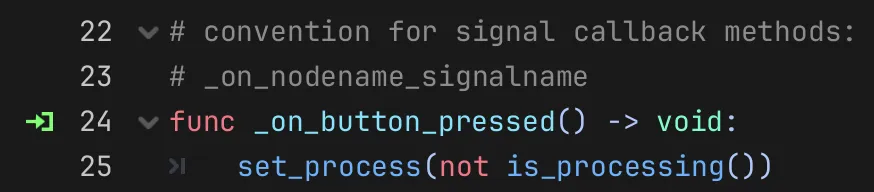
Hopefully this helps give you a very brief understanding of signals in Godot. Please check out their documentation, and if you want to look into the underlying patterns, read up on the Observer pattern!
Thanks for reading. If you have any thoughts, please send me an email!