Post #62: Godot’s CSV Translation File Importer
I think today marks day six of me spending time under the “localization umbrella”. If anything, hopefully these recent posts have inspired you to look into localization for your games sooner rather than later, because Godot has some cool localization features.
Today, we are looking at one of the most critical features for localization: CSV imports.
In smaller games, translation for multiple languages seems to frequently start in a spreadsheet. From there, you can save it with your game as a CSV file, and then pull in the appropriate translation based on the language your user is using.
Here is an example table from the docs:
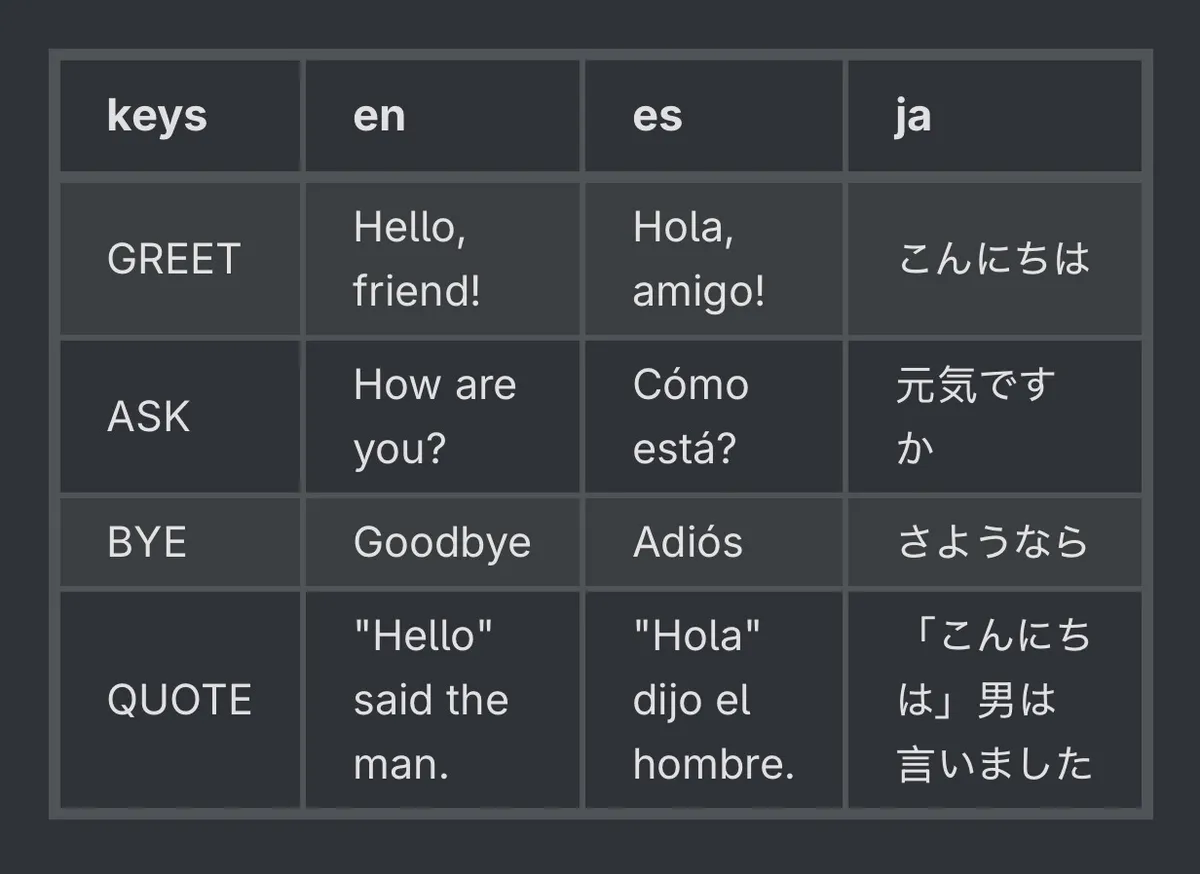
You’ll see the “key” is the first column, and the other column headers are the language as the language code. The cells are the correct translation itself, each row representing a key and all the translations for that key.
These are very easily imported directly within Godot’s UI (again, a screenshot from the amazing docs):
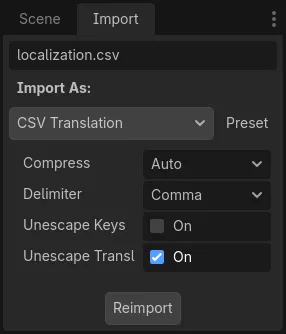
Godot makes this very easy. All you need is your translation file, and Godot can handle it! Check out the docs for more info…